LINE, Phone or Google Maps? Keep Channels, Write in One Place
You do not have to choose one of LINE, phone or Google Maps. Keep the channels your guests find easy, and write every booking in one place. It is simpler to decide if you treat Google Maps as the way in: it shows people looking for your restaurant your phone number and booking page.
The three channels do different jobs
| Channel | Good for | Watch out for |
|---|---|---|
| Phone | Answering on the spot, asking again | Someone must answer. Bookings tend to stay in that person’s notes |
| LINE | The message stays. Guests can send it while you are closed | Replies stop if nobody is assigned to read it. Read is not booked |
| Google Maps | Showing your number, hours and booking page to people looking for you | Old details send guests to the wrong number, or to your door when you are closed |
Check three things on Google Maps
You can edit your Maps details through Google Business Profile, Google’s tool for managing your restaurant’s information.
- Phone number. Check that it is the number that takes bookings.
- Hours. Holidays and one-off closures can go in as special hours.
- Booking link. If you add one, it should go to a page where the guest can finish booking.
The third needs care. Google’s policy does not allow social media or messaging links as booking links. It does not name LINE, but a link into a LINE chat reads as a messaging link. If you take bookings on LINE, asking Maps visitors to call is the plain option.
If you have your own booking page, you can add its URL as a booking link, as long as it meets Google’s conditions. To let guests finish booking on Google, you choose a booking provider that works with Google. Which providers are available depends on the country, and the provider may charge you. To see what works in Thailand, check your Business Profile screen and each provider’s pages.
Agree on three things, one for each channel
- Phone. If your hands are full, note it down and enter it in the book right after the call.
- LINE. Decide who reads it and when, and when you answer messages sent while closed. Asking for name, party size, date and time, and phone number means fewer questions back.
- Google Maps. Choose who keeps it updated. When hours or the number change, that person edits it.
Whichever channel, one place to write
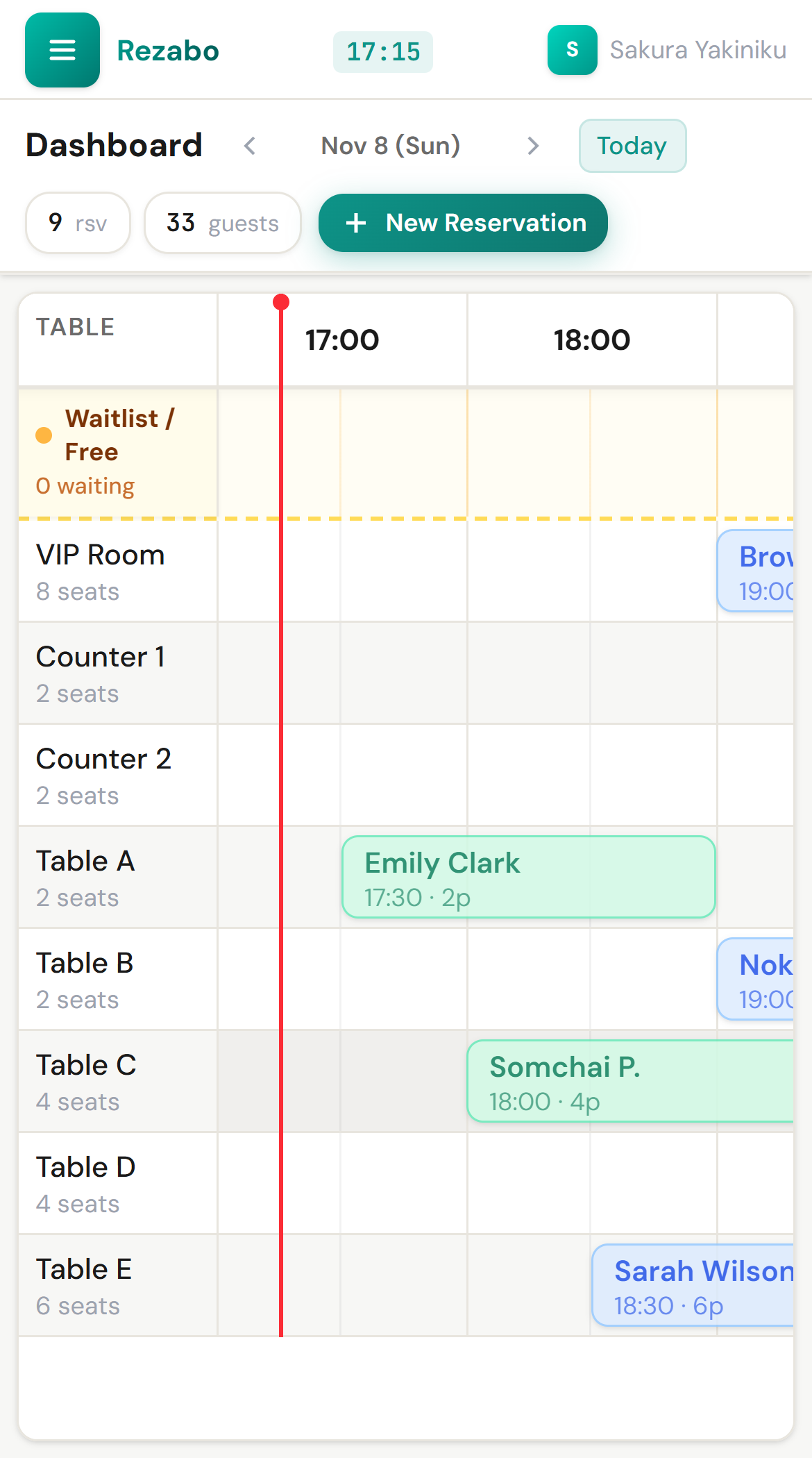
With three channels and one place to check, anyone gives the same answer. The order is: check availability, write it, then reply. If you note it and copy it later, there is a booking nobody else can see until then. More in how to prevent double bookings from phone and LINE.
What Rezabo does and does not do
Rezabo is not connected to LINE or Google Maps. Whichever channel a booking comes from, staff enter it in the same book. Replies to guests go from your current phone or LINE.
- A booking that starts too close to another on the same table cannot be entered. If times overlap, a confirmation screen appears.
- Entering a phone number suggests a registered guest’s name.
- The restaurant list shows today’s party count and guest count for each restaurant.
Rezabo has no booking page for guests, so it cannot give you a page for the Google Maps booking link. If you want bookings directly from Maps, read guest online booking or a staff reservation book.
To try it, keep your channels
You can try it free for 1 month, with no card and no automatic charge. You do not need to tell guests anything.
Questions owners ask
Should we move everything to LINE?
There is no need. Some guests want to talk and some want to type. Writing in one place comes before cutting channels.
Do bookings from Google Maps go into Rezabo automatically?
No. Rezabo is not connected to Google Maps. Staff enter the bookings they receive.
Can we put a LINE link in the Google Maps booking link?
Google’s policy says messaging links cannot be used as booking links. A link into a LINE chat reads as one of these.
With several restaurants, should we merge channels into one?
Each restaurant can keep its own. Maps details are also edited per restaurant. In Rezabo, you switch between restaurants on the same screen to see their bookings.